




Is the antivirus on your servers working correctly right now?
Installing ClamAV takes a single command. The hard part is keeping it running on all servers, since freshclam fails without indicating a problem, cron jobs disappear, and no one notices until an audit.
The new ClamAV module deals with this by ensuring that ClamAV remains operational on all hosts and also indicates to you in the Mission Portal when it isn’t.
What the module does
- Installs ClamAV from the upstream
.deb/.rpmpackages published on clamav.net, on Debian/Ubuntu and RHEL-family hosts (x86_64 and aarch64). - Keeps signatures fresh by running
freshclamevery 2 days. - Scans on a schedule by running
clamscanover/home,/root,/tmpand/var/tmpwhen the last report is older than 3 days. - Reports the results as CFEngine Enterprise inventory: engine version, signature count, scanned and infected files, data scanned, last scan time, signature freshness and the names of detected threats.
- Alerts on infections on every agent run until they are dealt with.
All the intervals and paths can be configured.
Getting started
Add the module to your project and build, then deploy the result to your hub the way you normally do:
cfbs add clamav
cfbs build
CFEngine Enterprise users can also add the module from Mission Portal, using the Build application in the left menu:
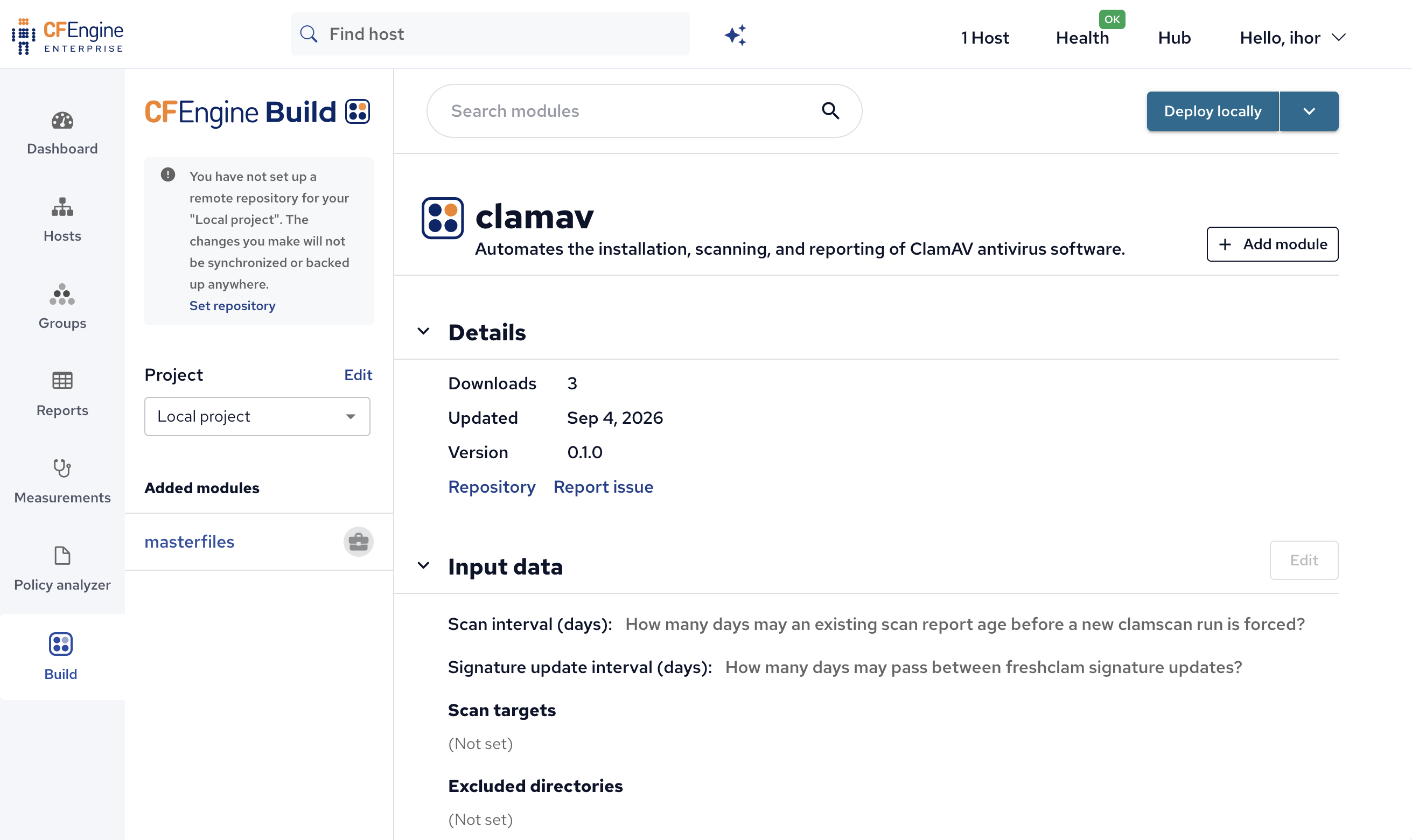
To change the defaults, run cfbs input clamav. It asks about the scan interval, the signature update interval,
the directories to scan and the directories to skip. You can also override any setting through augments without
touching the module:
{
  "variables": {
    "clamav:globals.max_age_days": "1",
    "clamav:globals.signature_max_age_days": "1",
    "clamav:globals.scan_target": ["/home", "/srv"],
    "clamav:globals.exclude_dirs": ["/proc", "/sys", "/dev", "/run", "/srv/backup"]
  }
}
If you don’t want to wait for the next scheduled run, for example after cleaning up an infection, trigger a scan or a signature update straight away:
cf-agent -KI --define clamav:want_scan_now
cf-agent -KI --define clamav:want_freshen_now
Updates and scans run only when needed
CFEngine runs every few minutes, but signature updates and scans don’t. The module starts them only once the configured interval has passed. If an update fails, for example because the mirror is down, the module waits for the next interval instead of retrying on every run. The exception is a host with no signatures at all, which keeps retrying until the first update succeeds. A scan that finds infected files still counts as a completed scan, and the findings show up in inventory.
Seeing the results
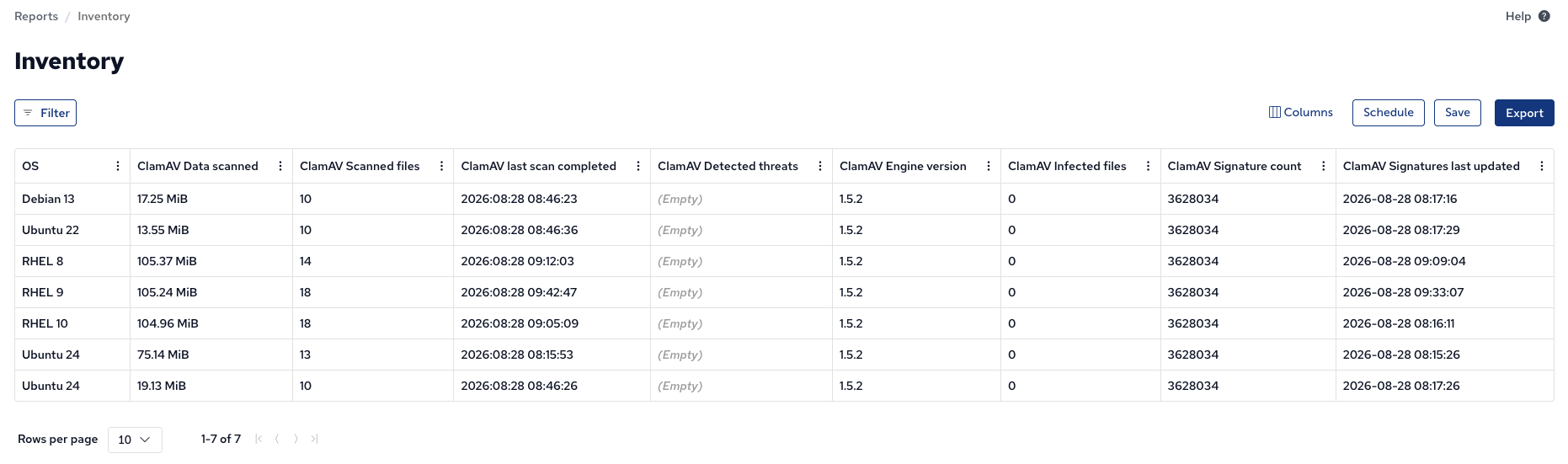
Once hosts report in, the ClamAV attributes show up in Mission Portal inventory like any other attribute. You can filter on them, add them to reports and export them.
The module also ships a compliance report, deployed automatically through the compliance-report-imports dependency. It checks three conditions:
| Condition | Severity | Passes when |
|---|---|---|
| ClamAV: no infected files found | high | The latest scan reported results with 0 infected files |
| ClamAV: scan ran within the last week | medium | A scan completed within the last 7 days |
| ClamAV: signatures updated within 2 weeks | low | The signature database is less than 14 days old |
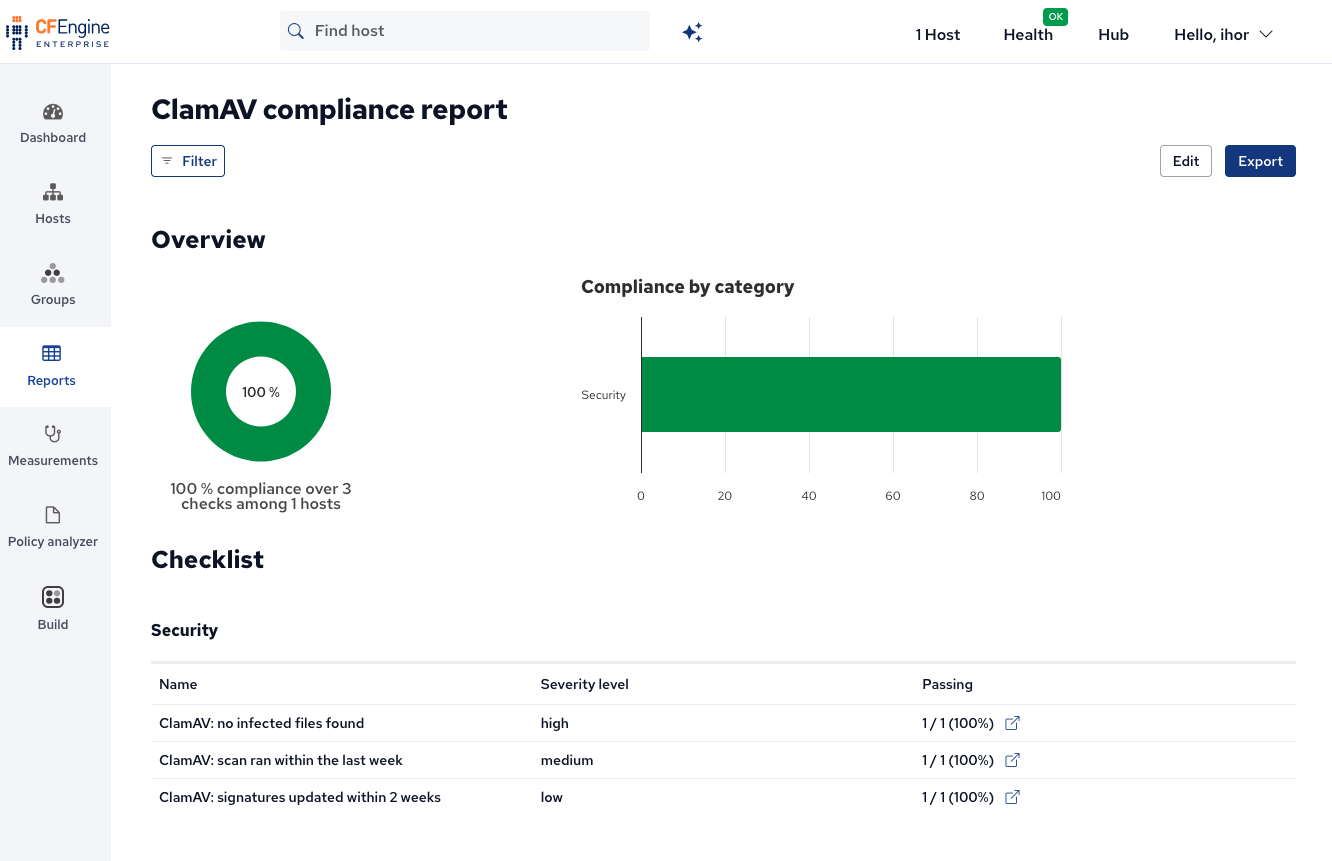
Hosts that report no ClamAV data at all fail all three conditions. A host where the module was never deployed, or where ClamAV failed to install, shows up as non-compliant instead of quietly dropping out of the report.
Getting notified
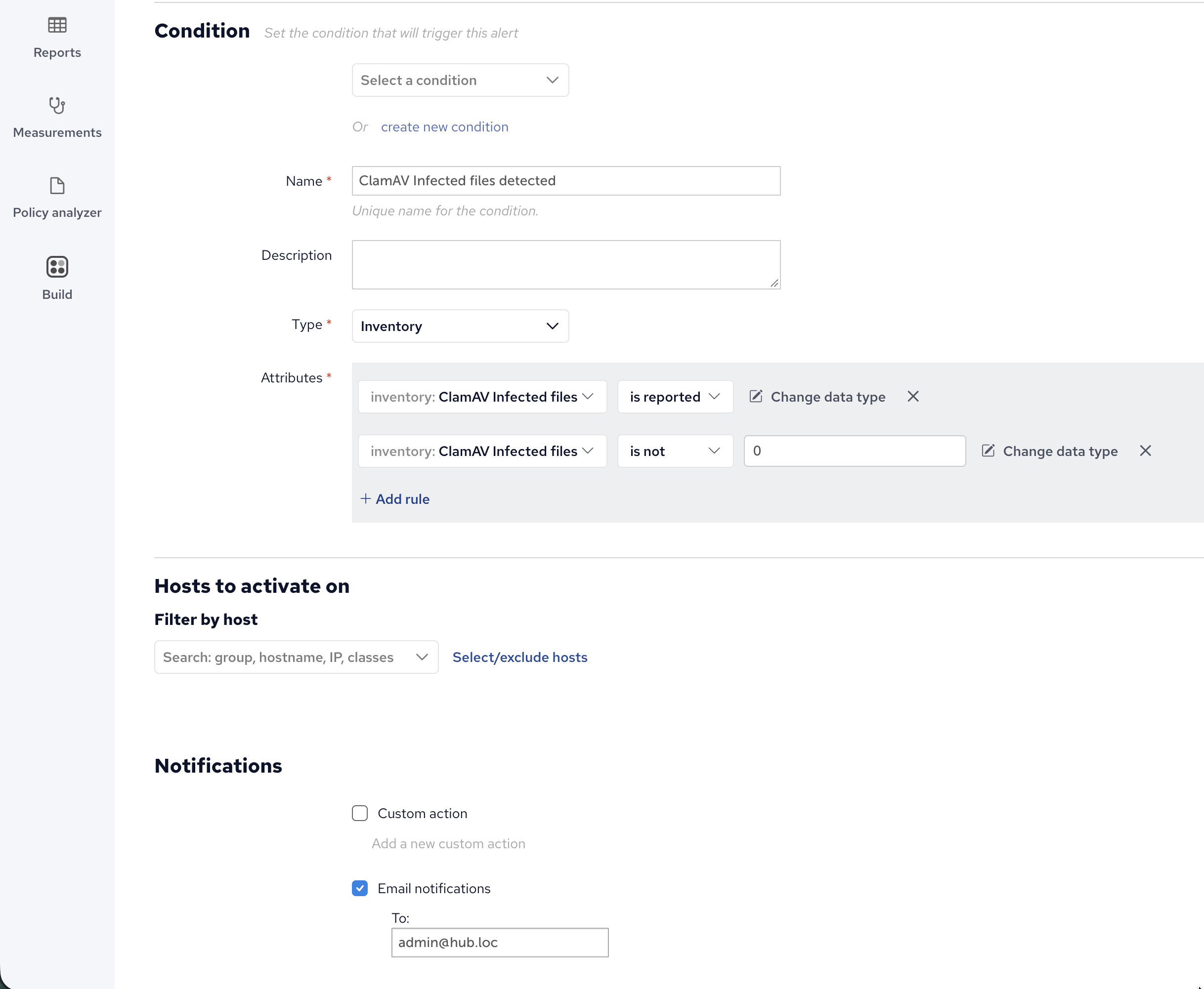
Reports are useful for audits, but when a scan finds something you want to know right away. Add an alert widget on the Mission Portal dashboard and create a new condition of type Inventory with two rules:
- ClamAV Infected file is reported
- ClamAV Infected files is not 0
The first rule limits the alert to hosts that have scan results. Without it, hosts that never reported a scan would trigger the alert too. Those hosts are already caught by the compliance report. Then tick Email notifications and enter the address to notify. The next time a scan finds an infected file, you get an email naming the affected host.
Things to know
- Memory.
clamscanandfreshclamload the entire signature database into memory, so hosts need about 2 GB of available RAM. On smaller hosts, add a swap file with the manage-swap module. - The freshclam daemon on Debian/Ubuntu. If the distro’s
clamav-freshclamservice is running, it locks the signature database and the module’s updates fail. Disable it withsystemctl disable --now clamav-freshclamso CFEngine is the only updater. - Choose scan targets carefully. Scanning the whole filesystem is slow and rarely useful. Start with the defaults, add directories where untrusted content arrives (uploads, shared storage, home directories), and exclude large backup or data directories.
What’s next
The module is tagged experimental, and a few improvements are planned:
- Windows support.
- Automatic ClamAV upgrades.
Feedback, bug reports and pull requests are welcome on GitHub.


